A weekly habit tracker on your start page
Your habits sit on the page you open all day, with a square for each day of the week. Click a square and it's done.
Start your deck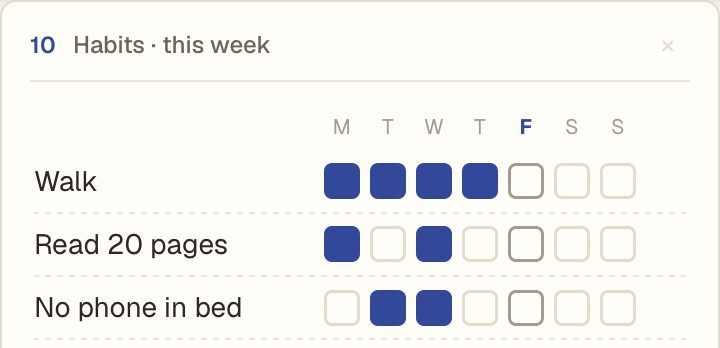
How it works
- Add a habit. Type its name at the bottom of the box.
- Tick a day. Click the square under the day. Click again to undo.
- Rename or remove. Click a name to change it, or the cross to remove it.
The box shows this week, Monday to Sunday, with today marked. Each Monday you get a fresh row of squares.
Next to the rest of your day
Put the habits box beside one big thing for today, a to-do list and your calendar. When it's the first page you see, the habits are hard to forget.
Questions
Is it free?
Yes. The habits box is free, with as many habits as you like.
Do I need an account?
No. Your habits are saved in your browser. Make an account only if you want them on more than one device.
Does it work on iPhone?
Yes. Add Daft Deck to your Home Screen and sign in with the same phrase to see the same habits.